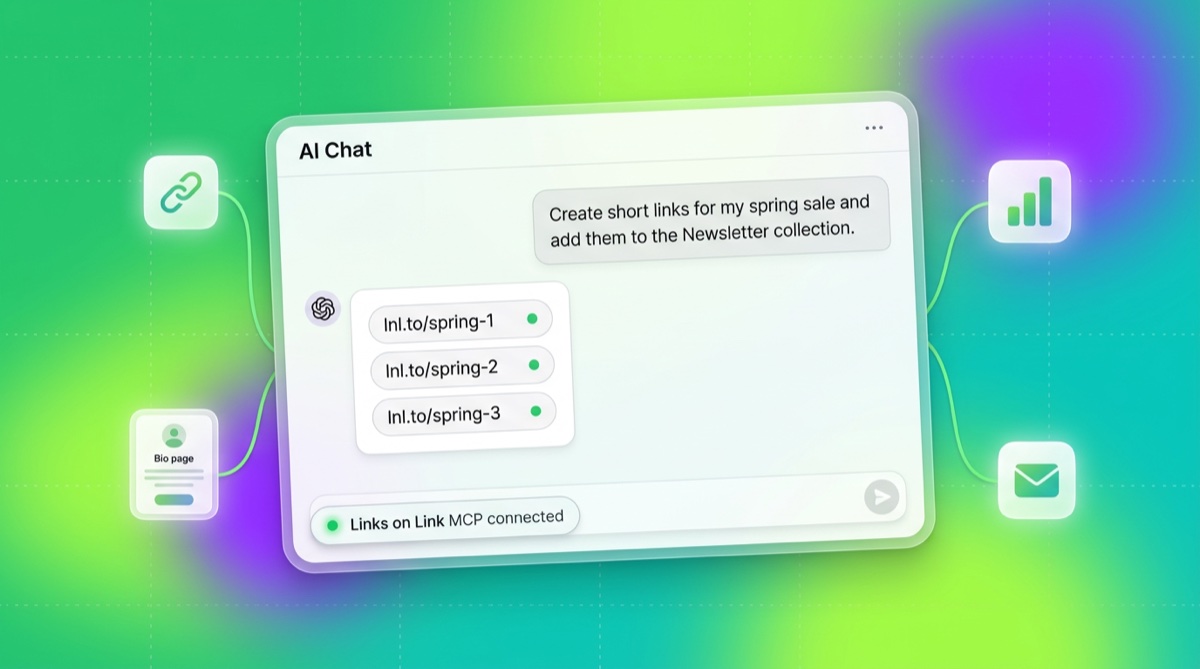
A few weeks ago I mentioned we were building an MCP server. It’s live now.
If you use Claude, ChatGPT, or Cursor, you can connect Links on Link once and then just ask for the thing you need. No dashboard, no tab switching, no clicking through forms. You say “shorten this and make the alias spring-sale”, and it’s done.
MCP (Model Context Protocol) is a standard that lets an AI assistant safely call tools in a real system. Instead of dumping your whole account into the context window, the model asks for exactly what it needs: “list my recent links”, “update page X”, and Links on Link answers. Think of it as giving Claude a set of buttons in your dashboard that it presses on your behalf.
You don’t need to paste an API key. The MCP server uses OAuth 2.0 with dynamic client registration, which means:
https://api.lnl.sh/mcpYou can remove the connection at any time from your assistant’s connector settings. No long-lived token sitting in a chat window.
The server ships with 43 tools (updated October 2026) covering the things you spend the most time on:
Links: list-links, get-link, create-link, update-link, delete-link, bulk-move-links, bulk-delete-links
Pages: list-pages, get-page, build-page, add-page-blocks, create-page, update-page, delete-page, add-page-element, update-page-theme, search-unsplash, list-page-submissions, get-all-page-submissions
Collections: list-collections, get-collection, create-collection, update-collection, delete-collection
Analytics: get-overall-analytics, get-link-analytics, get-page-analytics
Account: get-profile, get-workspace
Products: list-products, get-product, update-product
Discount codes: list-discount-codes, create-discount-code, update-discount-code, delete-discount-code
Sales: get-sales-summary, get-sales-by-source, list-orders
Public catalog: search-creator-pages, get-creator-page, search-digital-products, get-digital-product
Signing in through OAuth gives the assistant every tool. If you want less, connect with an API key instead: a key that only carries links:read cannot create or delete anything, because those tools are not registered for that session. For products, discount codes and orders the key has to belong to a workspace. Destructive tools (delete, bulk-delete) are marked as destructive so assistants can warn you before running them.
Here’s the stuff I’ve been doing myself in the last few weeks of testing, in plain prompts:
Campaign setup in bulk
Create short links for all 12 URLs in this CSV and put them in the
Newslettercollection.
No spreadsheet gymnastics. Claude reads the CSV, calls create-link twelve times, assigns the collection, reports back with the short URLs.
Weekly analytics digest without opening the dashboard
Pull click totals for my top 10 links from the last 7 days and summarise which ones are trending up vs down.
get-overall-analytics + get-link-analytics fan out, the model does the comparison, you get a paragraph in your chat.
Fixing a typo across multiple pages
Find every page where I still reference “Beta pricing” and update the text to “Launch pricing”.
list-pages → get-page on each → update-page where it matches. Five minutes of clicking becomes a ten-second prompt.
Building a bio page from a brief
I’m launching a new podcast. Build a Links on Link page for it: dark theme, cover image from Unsplash, links to Spotify, Apple, and YouTube, and an email capture form at the bottom.
build-page does it in one call: the assistant describes the cover image, three links and the email capture form in plain terms along with the dark look, and the server styles the page and finds the photo. You get a working page you can then fine-tune in the dashboard, or extend later with add-page-blocks.
Spotting broken stuff
List all links I created in the last 30 days that have zero clicks so I can check if they’re broken.
list-links + get-link-analytics filtered by the model. The assistant basically becomes a smart filter over your account.
There’s a temptation to bolt a chatbot onto every SaaS product and call it done. I don’t think that’s interesting.
The interesting shift is that the dashboard becomes optional. You don’t have to click around a UI to manage your stuff: you can describe what you want and a general-purpose assistant you already trust (Claude, ChatGPT, Cursor) does it. The dashboard is still there when you want to poke at things visually, but the moment the task is “do 12 similar things” or “summarise a bunch of numbers,” the chat is faster than any UI we could build.
It also means power users on Creator plans get automation that used to require Zapier, custom scripts, or an enterprise contract. You can tell Claude to watch your email and auto-create tracked links for any URL you mention in a newsletter draft. You can pipe MCP into a Cursor workflow that regenerates a page from a Markdown brief. None of that requires us to build an integration for every tool: MCP is the integration.
Go to Settings → AI assistants in your dashboard, copy the server address, and paste it into Claude’s custom connectors (or ChatGPT’s custom MCP servers on the web, or Cursor’s MCP settings). Sign in when the browser opens and you’re done. Step-by-step guides: Claude and ChatGPT. In ChatGPT, your plan and workspace settings can limit whether custom MCP servers are available and what they may do.
MCP is included on every paid plan: Creator ($6/mo), Pro ($15/mo), and Business ($39/mo), with no add-on fees. The plans differ in how many API keys you can issue (1, 5, and 10 respectively) if you want to run multiple MCP connections side-by-side, but the tool set is the same across the board.
If you’re not on Links on Link yet, start a 14-day trial.
The MCP server is the second piece of what I’ve been calling “your bio page shouldn’t just sit there.” Email capture turned pages into something that collects value. MCP turns the whole platform into something you can operate at the speed of thought.
The third piece is coming next, and it’s the one I’m most excited about. More on that soon.
Until then: go connect Claude to your account and tell it to clean up your old links. It’s genuinely fun.
Your discount will be automatically applied when you purchase a paid plan.
View plans