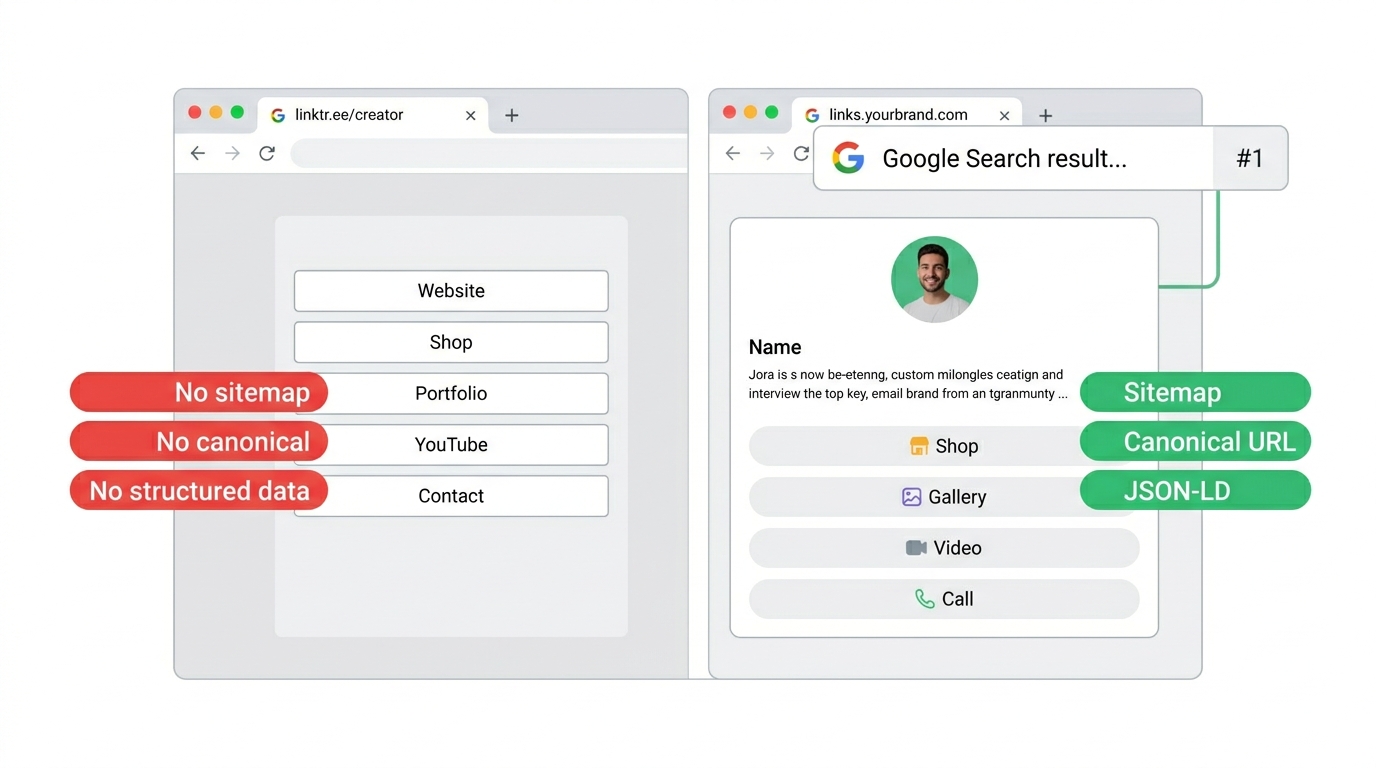
If you search “is Linktree bad for SEO,” you’ll find dozens of articles saying yes. The more useful question is what you want to own: a hosted Linktree profile can appear in search, but it cannot live on your own connected domain.
I’m going to break it down properly: what’s actually happening under the hood, why it matters, and what the alternatives look like.
When you create a Linktree page, your content lives at linktr.ee/yourname. That’s it. Your page is a subdirectory on someone else’s domain.
Here’s what that means in practice:
Linktree lets you set a custom title tag and meta description, but only on their Pro and Premium plans. On the free plan, your page title is just your username, and the description is generic.
Title tags and meta descriptions are the text that appears in Google search results. They’re the first thing a potential visitor sees. If you can’t customize them, you can’t control how your page appears in search.
Your page URL is always linktr.ee/yourname. You can’t use your own domain.
This is the biggest SEO issue. Every link pointing to your Linktree page, whether it comes from your Instagram bio, email signature, or an article that mentions you, builds domain authority for linktr.ee, not for you. Domain authority is how Google decides which sites are trustworthy enough to rank.
It depends on what you want your bio page to do.
If your bio page is just a passthrough where someone arrives from Instagram, clicks a link, and leaves, then SEO does not matter much. The traffic is coming from social, not search.
But if you want your page to be independently discoverable when someone searches your name, then yes, it matters a lot. As social platforms become less reliable for reach because of algorithm changes, throttled engagement, or shutdowns, having a page that works outside social becomes increasingly valuable.
Here’s the thing: your bio page is probably the most linked-to page you own. It’s in every social profile, every email signature, every collaboration mention. All of that link equity is going somewhere. The question is whether it’s going to your domain or Linktree’s.
A properly SEO-optimized bio page should have:
None of this is exotic or experimental. These are basic web standards that every marketing site implements. The gap is that bio page tools haven’t bothered to do it for creator pages.
The category takes several different approaches.
Stan Store keeps storefronts on a stan.store/yourname URL. Its current documentation does not support replacing that URL with your own connected domain, although you can forward a domain to the Stan URL. That means links still resolve on Stan’s domain rather than building an owned-domain storefront.
Beacons includes advanced SEO and marketing features plus a custom domain from its $10/month Creator plan. That makes it a materially different SEO proposition from a platform that only provides a hosted profile URL.
Bitly doesn’t have bio pages at all, so this doesn’t apply. But interestingly, if you try to visit bit.ly/sitemap.xml, it redirects to an SEO company’s website. Someone registered it as a short link alias. Bitly doesn’t even reserve that path.
Full disclosure: I built Links on Link, so I’m not a neutral observer here. But I can tell you exactly what we did and you can judge for yourself.
Every bio page on Links on Link gets:
lnl.sh/sitemap.xml that includes every public page with its last-modified date. Google knows about your page within the hour.lnl.sh otherwise).robots.txt and sitemap.xml, and the page is removed from the lnl.sh sitemap to avoid duplicate content.You don’t need to configure any of this. You publish a page, and the SEO infrastructure is already in place.
If you’re currently on Linktree and SEO matters to you:
site:linktr.ee/yourname. If nothing shows up, Google hasn’t indexed your page at all.The bottom line: Linktree does not actively hurt your website’s rankings, and its paid plans provide editable search metadata. The tradeoff is ownership, because a Linktree profile cannot use your connected custom domain, links to that profile build value around the hosted linktr.ee URL rather than an address you control. Whether that matters depends on what you’re building.
Your discount will be automatically applied when you purchase a paid plan.
View plans