When I wrote the first blog post a few weeks ago, I mentioned email capture was in progress. It’s done now, and it turned out to be a bigger deal than I expected.
Not because collecting an email address is hard. Every form builder on the internet does that. The reason it matters is what it represents: your bio page is no longer just a list of links. It’s a place where you can build a direct relationship with your audience.
Every page you build on Links on Link can now include an Email Capture element. You drag it in from the element palette, same as a link or an image.
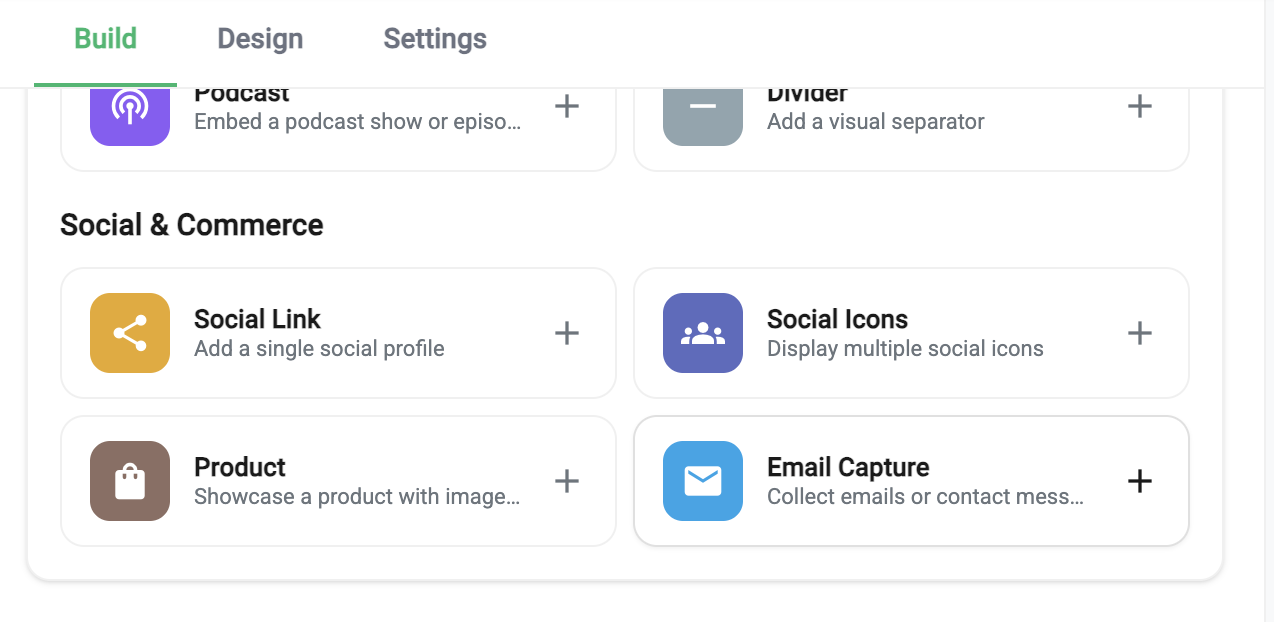
There are two modes:
Email Only: a simple newsletter-style signup. Your visitor enters their email, hits subscribe, and you’ve got a new lead. Clean, fast, zero friction.
Contact Form: name, email, and a message field. Useful if you’re a freelancer, consultant, or anyone who wants visitors to actually reach out, not just follow a link to somewhere else.
Both modes support:
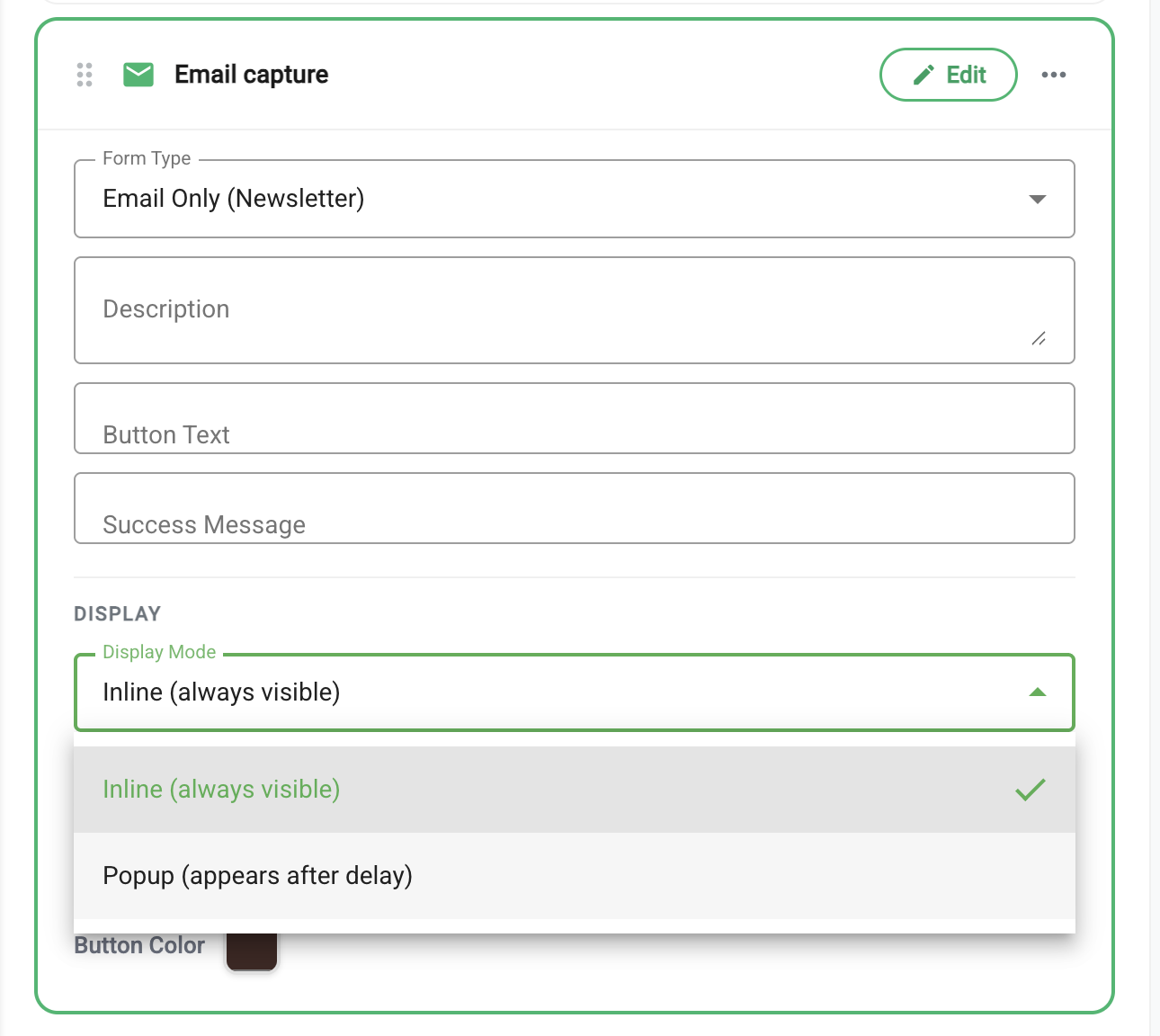
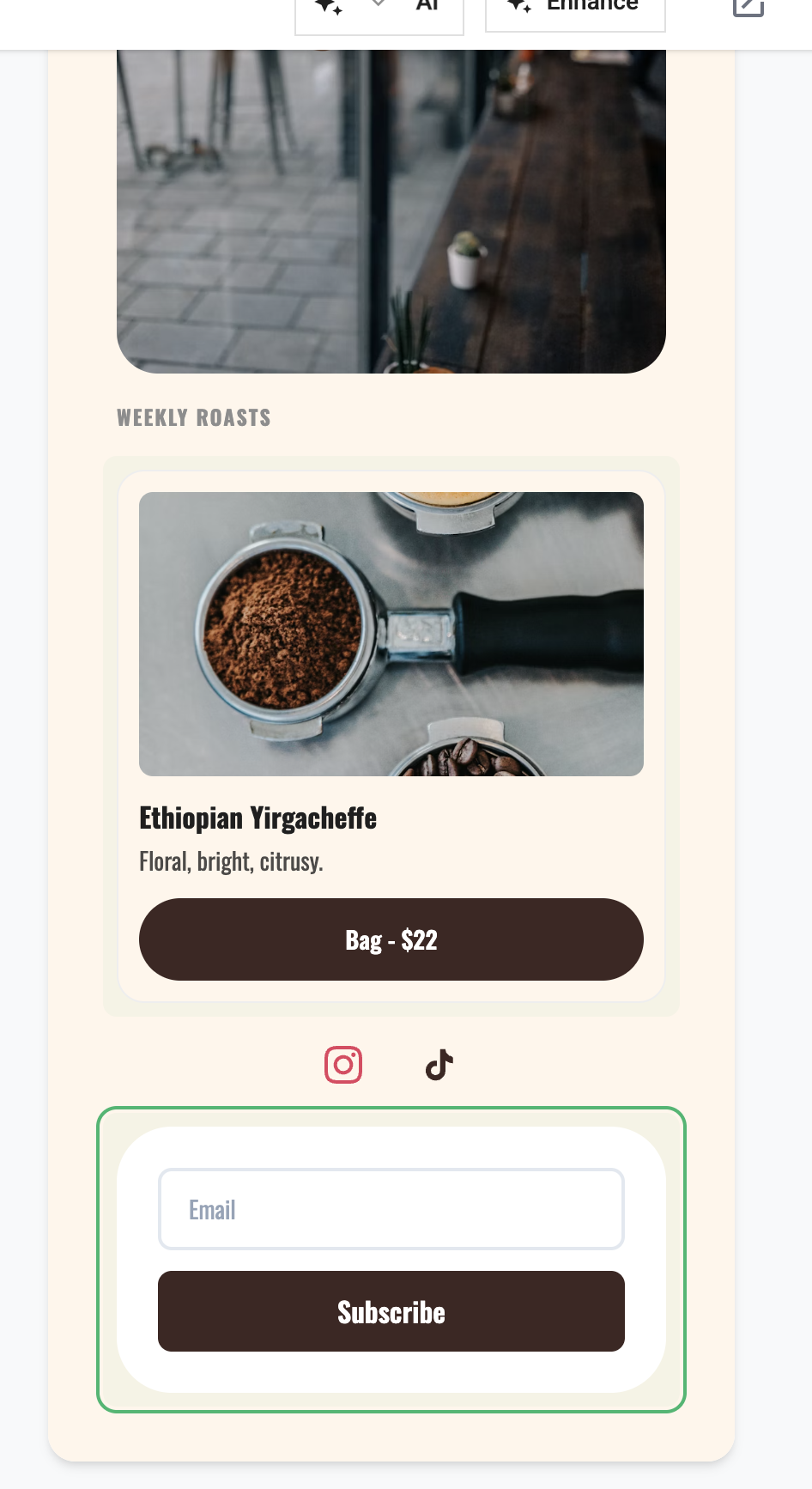
Here’s what an inline email capture form looks like on a live page. It sits beside a product card, collecting emails and showcasing products in one place:
The popup variant appears after a configurable delay, with spam verification built in:
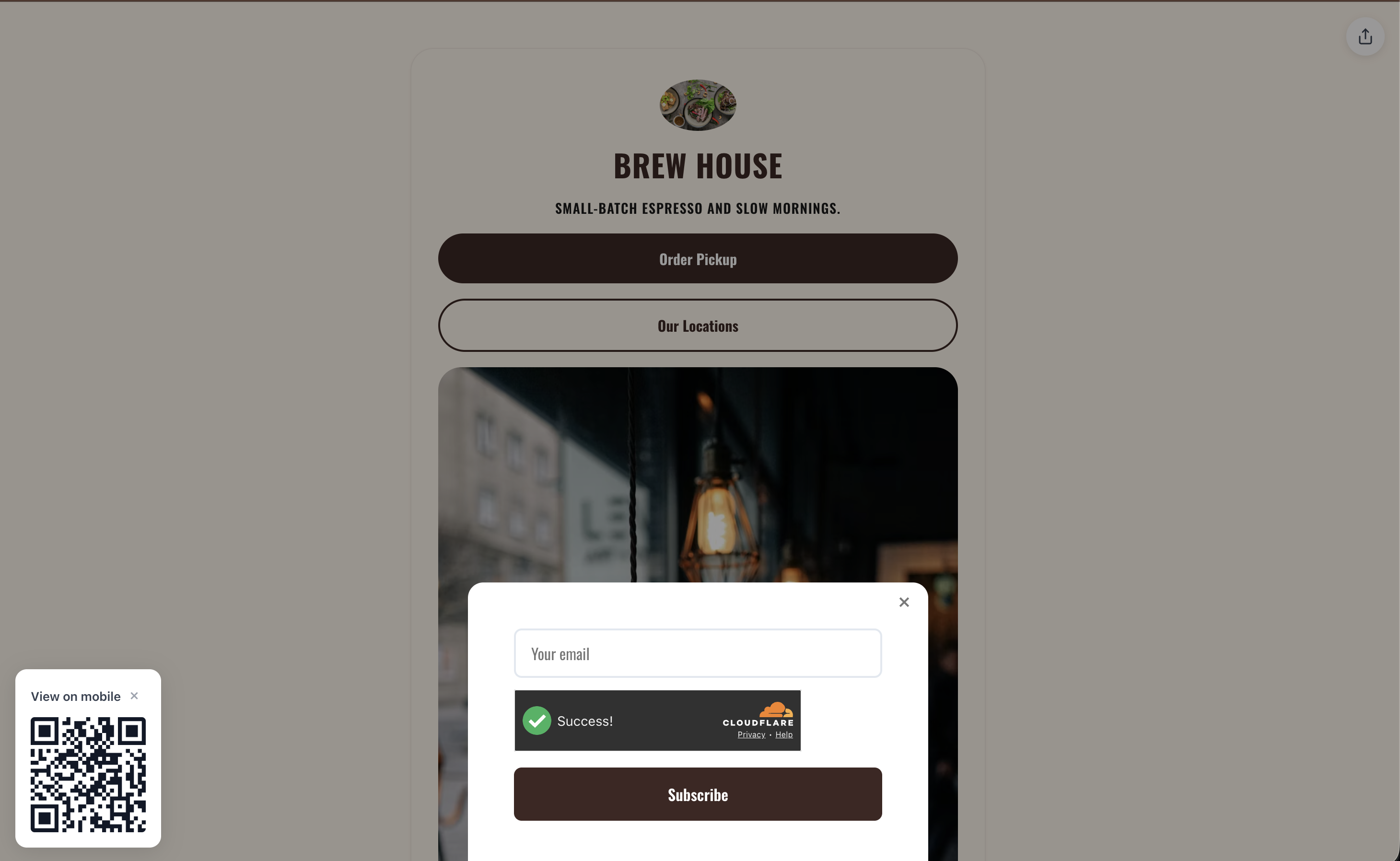
Every form has built-in spam protection, so you get real leads, not bots. Duplicate submissions are automatically filtered out too.
Every submission shows up in a dedicated Submissions dashboard in your account: filterable by page, sortable by date, with the email, name, message, and type right there in a table.
You can:
No third-party integrations required just to see who signed up.
Here’s the thing nobody talks about in the link-in-bio space: most creators don’t own their audience.
Your Instagram followers? Instagram’s algorithm decides who sees your posts. Your TikTok audience? One shadowban away from invisible. Even your YouTube subscribers don’t all get notified when you upload.
An email list is the one channel where you actually own the relationship. No algorithm, no paywall, no platform risk. When you send an email, it lands.
Until now, if you wanted to collect emails from your bio page, you needed to link out to a separate landing page: Mailchimp, ConvertKit, Gumroad, whatever. That’s friction. Every extra click loses people.
Now it’s built into the page itself. Your visitor sees the form, enters their email, and you’ve got them, without ever leaving your page.
Email capture is the first piece of something bigger I’ve been thinking about for a while.
When I look at what creators actually need, it’s not another link shortener. It’s not another bio page with fancier fonts. It’s a way to turn their online presence into revenue.
Product cards are already live: you can showcase items with images, descriptions, prices, and buy links. But that’s still linking out to Gumroad or Shopify for the actual transaction.
What’s already live:
What’s coming next:
The vision is simple: your bio page becomes your storefront. It does not just point to your stuff. It is your stuff. Your content, your products, your audience, your revenue. All in one place, all under your brand.
Link-in-bio tools that stay as link lists will become commodity. The ones that help creators make money will be the ones that stick around.
Email capture is included in all plans, starting at $6/month on the Creator plan. No add-on, no “email capture tier,” no per-subscriber pricing.
For context, Linktree now includes contact forms, email signup, and CSV export; its Pro and Premium plans can sync submissions to services such as Mailchimp, Kit, Klaviyo, Beehiiv, and Google Sheets. Stan Store starts at $29/month. Beacons includes 50 email sends per month on Free and 500 on its $10/month Creator plan.
The difference with Links on Link: we’re not trying to be an email marketing tool. We capture leads and give you a clean CSV export to plug into whatever platform you already use: Mailchimp, ConvertKit, Beehiiv, whatever. No per-subscriber pricing. Just your data, ready to go.
If you’re already on Links on Link, go to any page in your dashboard, open the element palette, and add an Email Capture block. It takes about 30 seconds to configure.
If you’re not on the platform yet, sign up here: 14-day free trial, no credit card games.
Your bio page shouldn’t just be a list of links. It should be working for you.
Your discount will be automatically applied when you purchase a paid plan.
View plans