If you’re sharing bit.ly/xk2r9p with your audience, you’re sending them somewhere with Bitly’s name on it, not yours. That link could belong to anyone. It carries no brand signal, and people have learned, with some justification, to be suspicious of random short links.
A custom domain changes this. Instead of bit.ly/something, your links look like go.yourbrand.com/something. Same short link, same analytics, same redirect, but your brand is on it, not ours.
This guide walks through how to set that up on Links on Link, and explains the underlying concepts so you’re not just following steps blindly.
A short link service like Links on Link runs on our infrastructure. By default, links use a domain we provide. A custom domain lets you point your own domain (or a subdomain of your main domain) at our infrastructure, so your links appear to come from you.
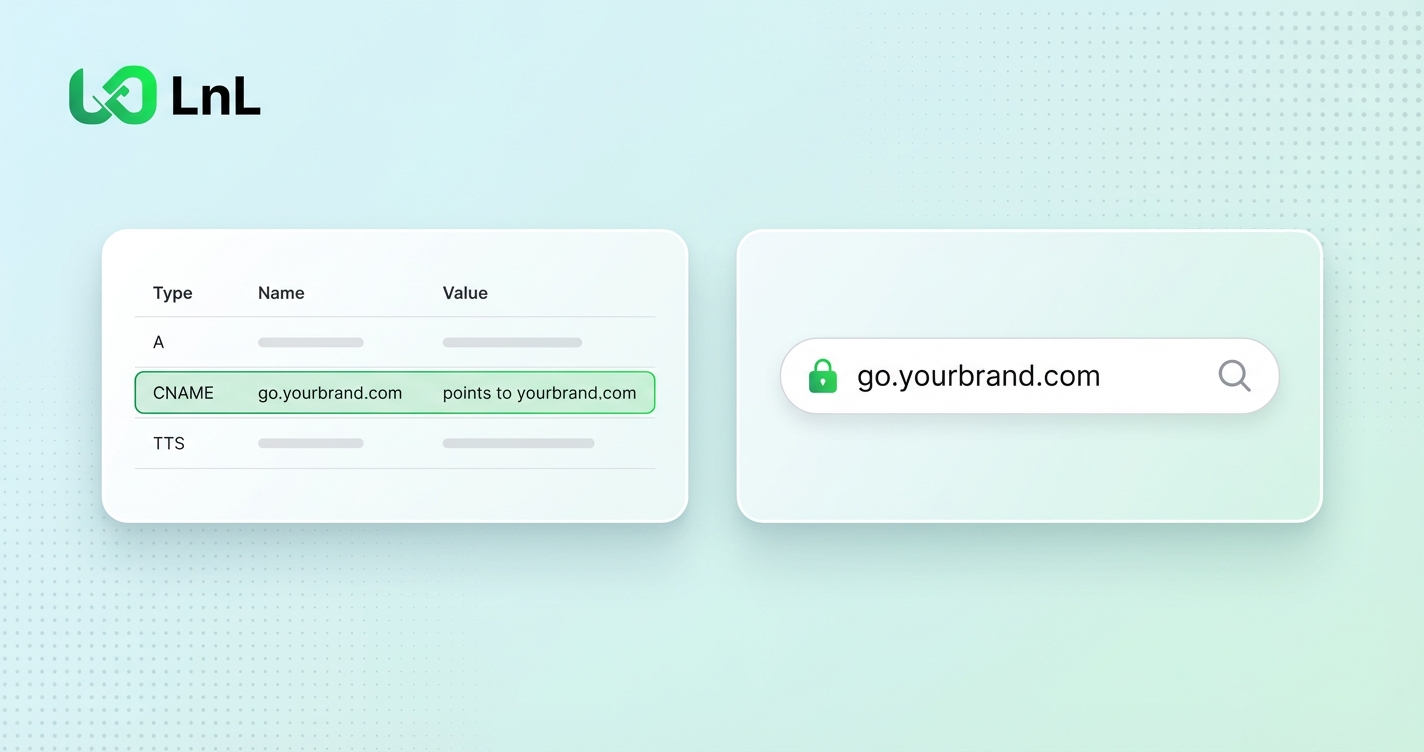
The technical mechanism is a DNS record: a CNAME record that points your custom domain to our servers. When someone clicks go.yourbrand.com/abc, their browser looks up go.yourbrand.com, finds the CNAME pointing to our infrastructure, and we handle the redirect from there.
When you add a domain, you choose what it is for:
go.yourbrand.com/summer-sale goes wherever that link points. You can have one of these at a time.links.yourbrand.com opens it directly, with nothing after the slash.A common setup is one short link domain plus a page domain for your main bio page.
You connect a domain you already own. We don’t sell domains, so if you don’t have one, register it first with any registrar. You can register a separate short domain (something like ybn.link or your brand abbreviated), or use a subdomain of a domain you already have.
Using a subdomain is the simpler option for most people. If your website is at yourbrand.com, you can set up go.yourbrand.com or links.yourbrand.com. You manage it all through your existing registrar without buying anything new.
A dedicated short domain looks cleaner if you use links heavily. It’s shorter and reads well in print. But for most use cases, a subdomain works just fine.
go for go.yourbrand.com), or @ for the root of the domainOne note on root domains: some registrars don’t allow a CNAME at the root. If yours doesn’t, use a subdomain instead.
DNS changes take time to spread. It can be a few minutes or a few hours. Until then the domain shows as “Pending verification”, then “Issuing SSL” while its certificate is created. That’s normal.
Go back to the domain and choose Check status. Once the records are detected, the domain becomes “Active” on its own. There is no separate switch to flip.
The last part of a short URL, the bit after the slash, is the slug. By default, Links on Link generates a random short slug for each link. But you can set a custom slug instead.
Custom slugs make links readable and memorable. go.yourbrand.com/summer-sale tells your audience something. go.yourbrand.com/xk2r9p tells them nothing.
You can set a custom slug when you create a link. Slugs are unique across Links on Link, not just on your domain, so a common word may already be taken. Adding your brand or the campaign name usually solves it.
You can have up to 3 custom domains on the Creator plan and 10 on Pro. One of them can be your short link domain. The rest are page domains.
One page per page domain. If you want three bio pages on their own addresses, that’s three domains or subdomains, such as links.yourbrand.com and shop.yourbrand.com.
SSL is handled automatically. Once the records are verified, the certificate is issued for you and the domain is served over HTTPS. There’s nothing else to configure.
Custom domains aren’t just about short links looking professional. If you’re selling digital products from your bio page, having shop.yourbrand.com instead of a generic domain builds the kind of trust that makes people comfortable entering their payment details. Your page, your domain, your brand. That’s the experience your customers get.
On Links on Link, custom domains are included on every plan: up to 3 on Creator, 10 on Pro. That’s not a special feature or an upgrade. It’s just part of the product.
Your discount will be automatically applied when you purchase a paid plan.
View plans