Link-in-bio tools vary widely in how much control they give you over search visibility and domain ownership. Some provide paid SEO controls or custom domains; others keep every creator profile on the platform’s own domain.
That’s a problem, because your bio page is often the most linked-to page you have. It’s in your Instagram bio, your TikTok profile, your Twitter header, your email signature. All that attention, and most of it stays invisible to search engines.
We just shipped a set of changes to fix this on Links on Link. I want to walk through what we did and why it matters.
When you create a bio page on a platform like Linktree, your page lives at linktr.ee/yourname. That URL is on Linktree’s domain, not yours. Every backlink to your bio page, whether it comes from a share or a profile link, builds authority for Linktree’s domain, not yours.
Linktree offers editable title tags and meta descriptions on Pro and Premium, but its current documentation says a Linktree URL cannot be replaced with a connected custom domain. That means a Linktree profile may be indexed, while the URL and the authority earned by links to it remain on linktr.ee rather than a domain you own.
Links on Link now generates a dynamic sitemap at lnl.sh/sitemap.xml. Every public bio page that isn’t password-protected or age-gated gets an entry with its URL and the date it was last updated.
<url>
  <loc>https://lnl.sh/p/yourpage</loc>
  <lastmod>2026-04-05</lastmod>
  <changefreq>weekly</changefreq>
</url>
This tells Google exactly which pages exist, and when they were last changed. Google doesn’t have to guess or discover your page through random crawling. It knows about it immediately. Your page is in the sitemap from the moment you publish it.
We also built this to scale from day one. Instead of cramming every page into one massive file, the sitemap uses an index structure: sitemap.xml is a table of contents that points to paginated sitemap files, each holding up to 10,000 URLs. As more creators publish pages, new sitemap files are generated automatically. Google reads the index, follows the links, and discovers everything. No manual intervention needed, no matter how large the platform gets.
We also added a robots.txt file at lnl.sh/robots.txt that tells search engines exactly what to crawl:
User-agent: *
Allow: /p/
Allow: /robots.txt
Allow: /sitemap.xml
Disallow: /
This means crawlers focus on bio pages (/p/) and don’t waste time following short link redirects. Without this, Google would try to crawl every short link on the platform: thousands of redirect URLs that don’t have any content worth indexing. That eats into something called “crawl budget,” which is the amount of attention Google gives your domain before moving on.
By telling Google to skip redirects and focus on bio pages, your page gets crawled faster and more reliably.
Every bio page served on Links on Link includes a canonical URL tag in the HTML:
<link rel="canonical" href="https://lnl.sh/p/yourpage" />
<meta property="og:url" content="https://lnl.sh/p/yourpage" />
This tells Google “this is the official URL for this content.” If the same page is accessible through multiple paths (which happens with caching and CDN routing), the canonical tag prevents Google from treating them as duplicate content.
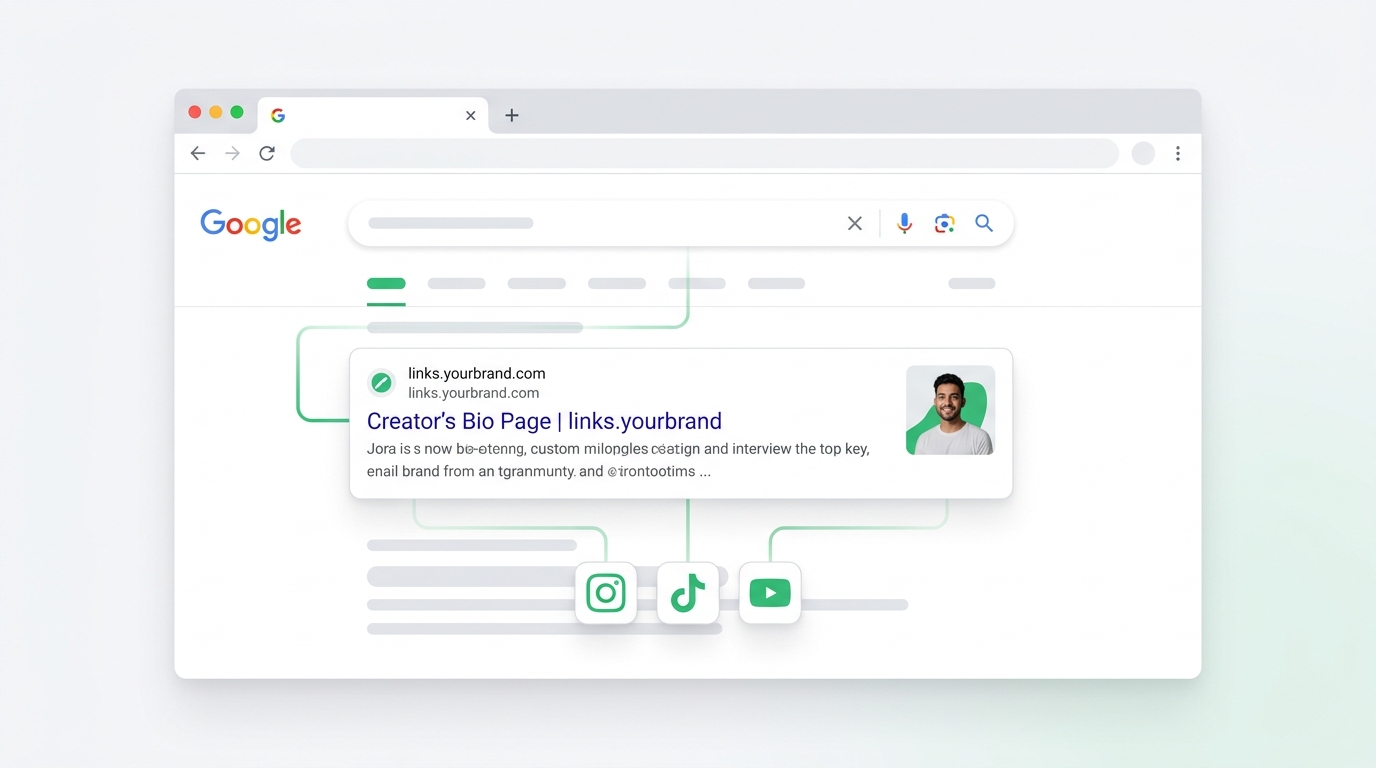
This is where it gets interesting. If you connect a custom domain to your bio page, such as links.yourbrand.com, we handle the SEO for that too.
Your custom domain gets its own robots.txt and sitemap.xml, served automatically through the same infrastructure. The canonical URL switches to your custom domain. And we make sure your page only appears in one sitemap: either lnl.sh or your custom domain, never both.
Why does that matter? Because if the same page showed up in two sitemaps with two different URLs, Google would see it as duplicate content. That’s confusing for search engines and can dilute your ranking.
With a custom domain, the SEO benefits go directly to your domain. Every backlink, social mention, and search impression builds authority for your brand, not ours.
This isn’t a feature you toggle on. Every bio page on Links on Link is engineered for search engine visibility from the ground up.
When you hit publish, your page automatically gets:
s-maxage with stale-while-revalidate so CDNs serve them instantly while refreshing content in the background.None of this requires you to know what any of it means. You build your page, and we handle the rest. The point is that every technical detail that affects whether Google finds, crawls, and ranks your page has been thought through, not bolted on as an afterthought.
If you’re a creator, your bio page is one of your most important assets. It’s where your audience lands when they want to find everything about you. If that page ranks in Google for your name or your brand, people can find you without needing to go through a social platform first.
That’s a big deal. Social platforms can change their algorithms, throttle your reach, or shut down tomorrow. But if someone Googles your name and finds your bio page, that traffic is yours. You don’t depend on anyone’s feed or algorithm to be discovered.
Here’s what a well-indexed bio page gives you:
Nothing. If you have a bio page on Links on Link, it’s already in the sitemap. The robots.txt and canonical tags are already in place. Your page is already listed where Google looks for it.
If you want to take it a step further:
lnl.sh. You can do this on any paid plan: we don’t lock custom domains behind enterprise pricing.lastmod date in the sitemap. When you update your page, the sitemap reflects the change, which tells Google to re-crawl it.The link-in-bio space has treated SEO as an afterthought for years. Most tools are built around social traffic: someone clicks the link in your Instagram bio, they land on your page, done. Search traffic doesn’t factor into the design.
But social traffic is rented. You’re dependent on the platform showing your profile, the algorithm surfacing your content, and the user choosing to click. Search traffic is different. It’s someone actively looking for you, and if your page is well-optimized, they’ll find it.
We think your bio page should work for you in both contexts. When someone clicks your link on social media, and when someone types your name into Google. The SEO infrastructure we shipped this week is the foundation for that.
Your audience is your audience. The tools you use shouldn’t quietly siphon off the SEO value of your own content.
Your discount will be automatically applied when you purchase a paid plan.
View plans